Showing posts with label professional development. Show all posts

Sunday, December 12, 2021

Go Beyond Challenge - Update #2 - Choosing to Press On

I haven't been great about posting the projects, but we are still forging ahead with the Go Beyond Challenge I started this school year. Here are a few things we're doing or that I've learned.

  • I had to decide recently if it was still worth doing this challenge. What does it mean to "go beyond normal" when very little feels like it went back to normal this school year? Is it crazy? We are still dealing with the effects of COVID on a regular basis, both in current challenges and the lasting impacts of the previous year. In the past two weeks, our district was one of many that was impacted by the devastating school shooting in nearby Oxford, Michigan. It felt so insane to make these projects work that I considered telling teachers we'd just let it go. I'm very glad to say I chose to press on. The teachers I'm working with have been extremely encouraging. For the students and the district as a whole, we know this is important. 
  • It took about three weeks longer than we hoped, but we finally are wrapping up our ebook project where 6th graders write books for younger students. The overall theme of the project was overcoming obstacles in life to use our gifts for others. That was very appropriate for this overall endeavor! We lost time when the teacher and several students were on quarantine, but we didn't give up. I'm converting student ebooks this weekend so the younger students can read them. I'll update this blog with examples once we finalize that last step.
  • In high school Mythology, we kicked off a game design project. I'm friends with another educator and game designer from a different Michigan school. We put several game design "Project Packs" together a few years ago that allow students to make unique card games that tie into classroom content. You can see most examples here.  I added two other original games in the mix this time and so far it is going very well. Finished games will be published on a website for other teachers to use with students. I'm also going to put some resources up so a teacher could duplicate the entire project.
  • I worked with a 6th grade science teacher to bring some technology into a paper roller coaster project he found. I helped with some prep on the project, then we're also asking students to document their work through a short video. I showed students how to use the camera on an iPad, plus the iMovie app, to zero in on how long it took the marble to go through their coaster. That will allow them to do some required calculations they have to include in the video.
  • Finally, here's a first grade project I'm really excited about. The teacher wants to have the students make number story problems, then record their thinking as they solve them. I thought it would be good if we could team up with a class from another district to share problems and solutions. We connected with a teacher in Dearborn, Michigan, who is very interested. Our class has already been working on their stories. We will share with the other school after we return from break in January. Resources we used for that project will be posted when we finish up.
  • Besides projects, I had a great opportunity to connect with two innovative leaders who gave us amazing direction. Dr. Sonny Magana and Dr. Scott McLeod were kind enough to connect with me and some district administrators to discuss our next steps. The time and advice they gave us was appreciated. Ongoing discussion about it is helping us sharpen our vision.

In conclusion, these projects transformed some low valleys into insightful pinnacles for me. I can see they were positive for the teachers and the students too. Each time we try a new activity, it gives us something to look forward to. As the class works, we can make observations and have discussion that is beneficial. Even when things don't work, our reflection can help us glean the useful aspects and do better next time. 

Wednesday, September 6, 2017

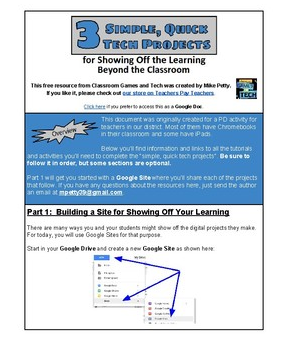
New Free Resource on TPT - 3 Simple, Quick Tech Projects for Showing Off the Learning Beyond the Classroom

I recently posted a document I used in a district PD session called 3 Simple, Quick Tech Projects for Showing Off the Learning Beyond the Classroom. It's available for free on Teachers Pay Teachers. It will take you through three tech projects you can adapt for any class.

I've written about each of these projects elsewhere on this blog, but this "hyperdoc" will take a teacher through each one and provide additional ideas for application and reflection. I also included some directions to help the teacher practice sharing their projects on a Google Site.

The three projects are:

  • Combining text and images to make "digital posters" 
  • PDF ebooks
  • Audio recordings

Most of our district uses Chromebooks, so that's the preferred tool for this. I do refer to some apps and activities you can try on iPads too.

You can download the resource from this page. If you like it, please consider leaving a review and check out the other resources I have there.

Our PD session was three hours long. The teachers who participated didn't complete all of this activity, but you can pick and choose parts of it, doing each one a little at a time.


Sunday, March 20, 2016

Using Technology to Amplify What's Working

This post is about a resource I created for for teacher professional development sessions about tech integration. It serves at least three purposes:
  • It reinforces the idea that technology should be used for more than just saving time
  • It introduces teachers to good research-based instructional strategies.
  • It provides a common language and vision for effective use of technology.
It's based on the idea that technology amplifies. Like a lever can allow one person to lift more or a shovel can help one person dig more, technology in the classroom can increase the effectiveness of good instructional strategies.

A link to the document is below. As teachers work in pairs or a group of three to fill in the table, it requires them to go through this process:
  • Identify and describe a few good instructional strategies - I have been providing these, but teahers could start by sharing some they use or possibly researching them on their own. I like to direct them to John Hattie's work and this page is a good starting point.
  • Identify tech tools they have available that can amplify the practice - It helps to give an example here. I use lecture, since everyone is familiar with it, but it's not likely to be on the top of the list of effective practices. As an example of enhancing it with technology, we talk about how video can be used in powerful ways in flipped and blending learning models. It's important that specific tools are mentioned. For example, if the teachers use Chromebooks I'd suggest SnagIt as a great tool for recording the screen.
  • Identify (and possibly describe) the ways the technology gives an advantage - This is the heart of the activity. I call these ways "AMPs", which stands for Achieve Maximum Potential. Some example AMPs from my list that we could mention for amplifying the lecture would be:
    • Improves the access for learning - Students can watch it even if they're not in class.
    •  Personalizes the learning experience for the needs of the learner - They can play parts again or skip ahead as necessary.
I included 10 AMPs in the document, each labeled with a letter to make it easier to complete the table. A description of each, including examples, is on the second page.

Thursday, February 19, 2015

Going the distance where it counts

Transformation begins by asking the right questions.

Some people use what I call "checklist thinking". In my line of work, that means I talk about a teaching technique and they tell me whether or not they do that. (And of course the answer is usually affirmative.)

PBL? CHECK!
Formative assessment? CHECK!

I describe an ideal, they see some piece of it that looks something they did. "Yep, I do that."

But it's too simple to approach life as a series of yes/no questions.

A better question is often, "How much do you use...?" I call this a yardstick approach. It raises the question of measuring and differences in results.
  • With it we acknowledge a distance between minimal practice and effective application. 
  • We can start to assess where we are at. 
  • We can identify important aspects that make results poor, good and best. 
  • We can begin to identify steps to improve.
Checklist thinking leads to mediocrity. Yardstick thinking leads to growth.

As a last thought, I'll add that checklist thinking isn't all bad. I assure you I use it frequently, like when I mow my lawn and when I send a reminder email about a printer issue to our district tech. Is that done? CHECK!

Obviously we can't start rating ourselves on a scale for everything. The areas in our lives where we use the yardstick approach, though, are the areas we value most whether we admit it or not. The trick is to acknowledge our priorities and then evaluate the efforts accordingly.

Thursday, August 21, 2014

How to Be Good with Tech - Part 5

I've been writing this series for a few weeks now and I'm winding it down with three short posts, this being the first. If you want to review what I've written so far...

My previous article (Part 4) was the most practical, suggesting the tip "Move ahead fearlessly". In it, I even went so far to assign a 30 minute activity that anyone could start with.

Prior to that, in Part 1 and Part 3 I addressed some common myths that hold people back. In Part 2 I pointed out that successful people think "big picture" when they use technology, not step by step.

This time, I have this advice:

Tip #6:  Move ahead regularly.

Of course, this goes along with what I wrote in Part 4. To get good with tech tools you have to start practicing and keep practicing. 

When I work with people who struggle with technology, I see time after time that they simply have not developed enough experience with tools in general. When the slightest problem crops up, they have no prior knowledge to rely on. Every tool and every task is new.

In other words, what you start with isn't even that important. As long as you can make some progress with it, you'll begin to form the confidence, conceptual frameworks and problem solving skills that can be applied to other tools you'll need.

Many hesitant learners tell me they are waiting for a trainer to provide direction or an employer to provide time, but my point here is you need to make the time yourself.

I want to share some results of a survey I sent out to educators through Twitter and Edmodo. I was hoping to get data to share with teachers at the start of the school year. I realized that it applied here too. In the end, I had 63 responses. Obviously it's not the definitive study in these matters, but I think it offers some weight to what I'm saying here.

First, I asked respondents to rank themselves on a scale from one (reluctant) to five (innovative) when it comes to tech use in their job in education. A choice of three represented "average in their district". Here were the results:

Then I asked about the quality of professional development or training that they receive on the new tools they use. From "exceptional" down to "we don't receive any", here were the results:


Note that over half the respondents either are not trained or they consider the training to be inadequate. But almost all of them are above average when it comes to tech use?

Well, finally I asked them to choose which of these options that best represents how they learn the new tools:

  • From professional development that is provided to them.
  • From professional development plus time spent on their own.
  • From colleagues and time spent on their own.
  • From time spent on their own.
As you might have guessed based on my tip above, the vast majority (over 70%) of these people are not relying on training to use new tools in their work. They're moving ahead with some help from others and time on their own. Here are the results.


Take the informal survey for what it's worth. It at least shows training is not a prerequisite for moving ahead with technology.

Instead of getting formal training, my recommendation is to plan time regularly to just explore a tech tool. Maybe it will be 30 - 60 minutes on a Saturday morning. Maybe you'll make time every night for a month.

Whatever you decide, just like exercise or learning to play an instrument, regular practice will quickly pay off with noticeable results.

Up next, one tip that gives me an edge when I have to work with digital tools.

Recharge Your Inner Artist - Teacher PD 2014

I presented to a group from our ISD this week about integrating creativity and technology into PBL. As usual, my session allowed for time for teachers to explore the tools and work in groups. I ran it as a project-based learning activity for them, in which they chose the content they were learning or practicing.

As I said in the presentation, I like to dump a truckload and let them sort it out.

If you're interested in the resources, you'll find two items below.

  • First, here is the website where I housed the lesson the teachers worked through. There is a lot there, since I want my sessions to be useful to everyone regardless of their level of expertise with technology. The lesson is designed to be completed with any computer and possibly an iPad. They had about two hours to get started and most got about halfway through the standard project.

  • And here is a copy of my slide presentation. It might not make much sense without me talking, but you'll see the main points. I compiled many ideas from this blog and my Teaching Like an Artist blog.
 

Friday, July 25, 2014

Google Tools for Teachers - Virtual summer PD, because tech waits for no one

Our high school is getting Chromebooks this fall, so I have been doing weekly technology professional development sessions for any teachers that want to get a jump on learning. The Google Apps for Education domain in our district will be new to them, so I made a series of videos, pointed out some existing tutorials and suggested practice that should take about 15 - 30 minutes for each session.

The videos I made have some content related specifically to our domain, but the features will work the same way with any Google account. The only difference is we restrict sharing to only accounts within our domain. If your admin doesn't restrict it or if you just have a standard Google account, you won't have the same limitations that I refer to at some points.

Here are the sessions:

Session 1:  Overview of Drive

Session 2:  Creating, editing and commenting on Google Docs (This session has a document to use for exercises, but it's only shared in our domain. You can use this copy of the document instead when you get to that part.)

Session 3:  Creating and posting assignments (I use Edmodo as the example, but the process will be similar for any classroom management system you use.)

Session 4:  Using Forms for feedback and assessment

Session 5:  Google Slides overview

Session 6:  Google Calendar overview (This one is based exclusively on videos from others sources.)

Session 7:  Making a simple website with Google Sites

Session 8:  Chrome Apps and Extensions for Education

Session 9:  Chromebook basics

Comments and feedback are very welcome so I can improve this series.

Sunday, February 9, 2014

A Note to Teachers: Consider the quality of your PLN

This is an article I wrote for my district tech newsletter in hopes of getting more teachers to develop their PLN. It could be of value to others, so I posted it here. If you already have a PLN, I'd love to hear your input on this matter so I can help the teachers I work with to see the importance of growing a PLN.

Maybe you've heard teachers talk about their "PLN". Some will suggest everyone needs one. I'd say we all have one already, though PLNs vary in quality. It's important to recognize this, because in all cases they can help or hinder us in doing our best work.

A PLN is a personal learning network. I hear it most often in reference to social networks like Twitter, where professionals follow and contribute their own thoughts among peers and leaders in their fields.

I say everyone has a PLN because we all have a group of people we learn from. Some will talk about "connected educators", but we are all connected to some degree. Whether it's to authors we've read, speakers we listen to at conferences or the other teachers in our buildings, we have a network that shapes how we see our work.

But not all PLNs are equal. For the sake of our students and the profession, we all should evaluate the quality of our PLN. We can do that by asking three simple questions:
  • How does my PLN impacted my professional growth?
  • How many teachers am I regularly connecting with?
  • How often do we connect? 

When measured in those ways, the advantage of technology becomes obvious. In fact, that's why PLN commonly refers to a large tech enabled social network. The most effective tools for the job are obvious.

Those who regularly stay in contact through large social networks will confirm this. The anytime, anyplace nature a dedicated PLN is a lot like hanging out with teachers at a conference whenever you have a spare minute. It grants immediate access to timely answers, a source of collective wisdom, best practices and a perspective of education on a global scale.

If you already use Twitter, Edmodo or some other network as a PLN, I'd encourage you to share contact information with others in your building or across the district.

If you aren't yet a part of a larger network, I suggest taking the time to get started with TwitterIt only takes seconds to sign up.

This Teacher's Guide to Twitter is a good place to start for basic information. Here are two other good posts to start with if you are looking for other teachers to follow:

This is a note to the teachers I work with, but feel free to follow if you care to contribute!
Also, I set up a Twitter account for our district's technology tips or other related communication. Right now the only followers are me and Kevin Honeycutt (and he could split at any minute). So if you've got an account, join in and you'll make a very significant contribution to the number of followers. The account is the same as the title of the newsletter: @lv_tech_connect

Thursday, January 16, 2014

The Big Question Before the Learning Starts

Last week I was planning for teacher professional development and something like the picture below came to mind. I sent it out on Twitter asking if it had value. There was no response at first, but I sent it again a few days later and it received a lot of attention. Now I want to elaborate on the underlying idea and consider how to develop it. 

First, I see this being used before a learning activity for adults on down to younger teens. I know the wording and presentation can be improved, but I believe it captures the most important question regardless of the topic and technique that awaits the learner. 

I think the main point of the question is clear, that the desire to learn is a perquisite for learning. The scale from 1 - 10 implies we rarely will find ourselves 100% at one extreme or the other. 

My problem with this is that the question has value when I answer it for myself, but when I have to answer it to someone else or because someone else raised it, I'm not likely to think about it in a meaningful way. The "right" answer will be quickly given or maybe in resentment or defense, I won't think deeply about where my attitude toward learning actually falls. 

But can the question be answered in a useful way only in self-reflection?  Is discussion necessary, at least in some settings or with some topics? If so, how can that be done without making this come off as accusatory?

I'm drawn to this activity because it requires the teacher and learner to narrow the focus on the purpose of the learning to come. It draws the learner to consider that purpose and his or her relation to it. 

And to me, the beauty of this is an honest answer of 1 or 2 on the scale is of great value. Teacher and learner can gain so much from admitting it or realizing that's how the learner feels. It's like we can all start on level ground, open to each other and the reality of the job we face together. 

Teachers, or administrators running professional development, need to encourage the learners to express this honestly and in appropriate ways. How much real learning is prevented because we all forge ahead without meeting here first? Is it because we assume everyone wants to learn or we don't know how to respond if they don't?

There is a reality that in every learning situation the learner must give something in order to learn. For those of us teaching teens or older, how often have we said, "You will only get out as much as you put into it"? Certainly the teacher must carry some of the weight, probably most of it for any planned learning situation, but as learners mature they need to recognize their own responsibility in the matter. This attitude check reminds everyone of this.

Some questions that I still have as I consider using this:
  • What should I do as a learner if my honest answer to the question is a low number? Do I leave? Do I just do the bare minimum required? What would it take to make real learning more important to me?
  • Should learners discuss their answers among themselves? Or is this a reflective writing warm-up activity? 
  • Should I as the teacher see the responses of the learners?
  • As the teacher or leader in this activity, what is a good response when I find some learners in the group are honestly saying they just want to get it over with? Do I try to move them further up the scale by convincing them of the importance, or do I give less myself?
  • What research exists that relates to this?
  • How can I improve the wording or presentation? What changes will be necessary for specific learning situations?